AI Tools for Small Business Operations in 2026: 30 Practical Use Cases by Department
AI tools for small business operations: explore 30 practical use cases for marketing, sales, support, research and everyday workflows.

AI tools for small business can improve marketing, sales, customer support, research and operations when each tool is connected to a clear business workflow.
Editorial note: This article is educational and based on practical software-selection and workflow principles. Product features, limits and pricing may change after publication.
Affiliate disclosure: Some links may be affiliate links. AutomationToolLab may earn a commission at no additional cost to you.
AI tools can save a small business significant time, but only when they are attached to a real process. This guide explains how to build a practical AI tool stack around marketing, sales, support, operations and research without turning the company into a collection of disconnected subscriptions.
AI Tools for Small Business: How to Build the Right Stack
In practice, The most useful way to evaluate AI software is to start with the work, not the product. List the recurring activities that consume time each week: writing drafts, preparing proposals, summarizing meetings, researching customers, answering support questions, creating graphics, cleaning data, updating a CRM or preparing reports. Then group those activities into a small number of repeatable jobs.
A good AI stack normally has a primary assistant for general reasoning and drafting, one or two specialist tools for work such as design or transcription, and an automation layer that moves information between systems. Small teams rarely benefit from paying for five tools that all generate similar text. The better setup is a clear owner for each job, documented inputs, a review step for high-impact outputs and a monthly check that the tool is still saving more time than it costs.
For example, Before adding a new AI product, ask four questions: what exact workflow will it improve, what information will it access, who reviews its output, and how will success be measured? If those questions are unclear, the software is probably a distraction rather than an operating improvement.
AI Tools for Small Business: 30 Practical Use Cases
Marketing and content
Use AI to create structured content briefs, first-draft outlines, campaign variants, social repurposing ideas, headline alternatives and editing suggestions. The strongest workflows begin with real customer language, keyword research or product documentation rather than asking the model to invent context from nothing.
- Blog outline and brief generation from approved research.
- Email subject-line and landing-page copy variants.
- Content repurposing from webinar, podcast or long-form article.
- Brand-tone editing against a documented style guide.
- SEO content gap summaries built from keyword and competitor inputs.
Sales
In addition, AI is especially useful before and after conversations. It can summarize account history, organize call notes, draft follow-up messages and prepare proposal skeletons. Keep pricing, commitments, legal language and final negotiation decisions under human control.
- Meeting preparation from CRM records and public company information.
- Lead research summaries.
- Call-note cleanup and action-item extraction.
- Proposal first drafts from approved service templates.
- Follow-up message drafting based on meeting outcomes.
Customer support
Support teams can use AI to classify tickets, suggest answers from an approved knowledge base, summarize long conversations and identify common reasons for contact. The goal is not to remove people from difficult conversations; it is to reduce repetitive searching and writing so people can handle exceptions faster.
- Ticket categorization and routing.
- Drafting responses from verified help-center content.
- Conversation summarization for escalations.
- Sentiment and urgency flags for review.
- Weekly analysis of repeated customer issues.
Operations and administration
However, Administrative AI use cases often deliver the clearest return because the work is repetitive and structured. Examples include document classification, invoice data extraction, meeting summaries, standard operating procedure drafting and spreadsheet cleanup.
- Extract fields from invoices and forms.
- Convert meeting transcripts into decisions and tasks.
- Draft SOPs from recorded processes.
- Normalize spreadsheet categories and descriptions.
- Create weekly operational summaries from approved datasets.
Research and decision support
AI can accelerate research, but the output should be treated as a working layer rather than unquestioned fact. Ask the system to separate known information from assumptions, provide source links where possible and list unanswered questions before a decision is made.
- Competitor messaging summaries.
- Vendor comparison frameworks.
- Customer interview theme extraction.
- Risk and dependency checklists.
- Decision memos with options, trade-offs and open questions.

AI Tools for Small Business: How to Compare Products
As a result, Start with task quality. Give each candidate the same realistic examples and compare how much editing is required. A tool that produces slightly better output but needs constant correction may be less valuable than a simpler product that fits your workflow consistently.
Next, evaluate context and data handling. Determine whether the product can work with the documents, apps and knowledge your team already uses. Review administration controls, data-retention options, access permissions and the ability to separate personal experimentation from company workflows. For sensitive data, your security and legal requirements should be part of the buying decision from the beginning.
At the same time, Then compare workflow fit. Does the tool work where people already work, or does every task require copying information into a separate interface? Can it connect to your CRM, storage, help desk or automation platform? Does it provide APIs or integrations if you need repeatable processes?
Finally, measure economic value. Estimate the hours saved per month, the percentage of outputs that require rework, the cost of the plan, training time and any extra integration cost. The cheapest subscription can be expensive if adoption is poor, while a higher-priced product can be inexpensive if it removes a recurring bottleneck.
AI Tools for Small Business: A Simple Governance Policy
Therefore, A useful governance policy does not need to be fifty pages. It should answer which tools are approved, which data types may be entered, when human review is required, how outputs are checked and who can authorize a new AI workflow.
At minimum, prohibit employees from pasting passwords, authentication secrets, private customer data, unreleased financial information or confidential legal material into unapproved systems. Define a review rule for outputs that affect customers, payments, contracts, employment, compliance or public claims. Keep a record of important automated workflows so the business knows what happens when an API, model or integration changes.
More importantly, For teams using AI every day, assign a workflow owner. That person is responsible for documenting the purpose, approved inputs, expected output, failure path and review procedure. This turns AI from informal experimentation into a manageable business capability.
Recommended 30-Day Adoption Plan
Week 1: identify five repetitive tasks, choose one low-risk task and measure the current time required. Week 2: test two or three tools on the same examples and document which produces the most reliable result. Week 3: connect the winning tool to the real workflow, but keep a human approval step. Week 4: measure time saved, quality problems and adoption, then decide whether to expand.
For this reason, This staged approach prevents the common mistake of buying several subscriptions before the team has proven a useful workflow. Once a process is stable, automation platforms such as Zapier, Make or n8n can connect the AI step to the systems that trigger and receive the work.
AI Tools for Small Business: Department-by-Department Selection
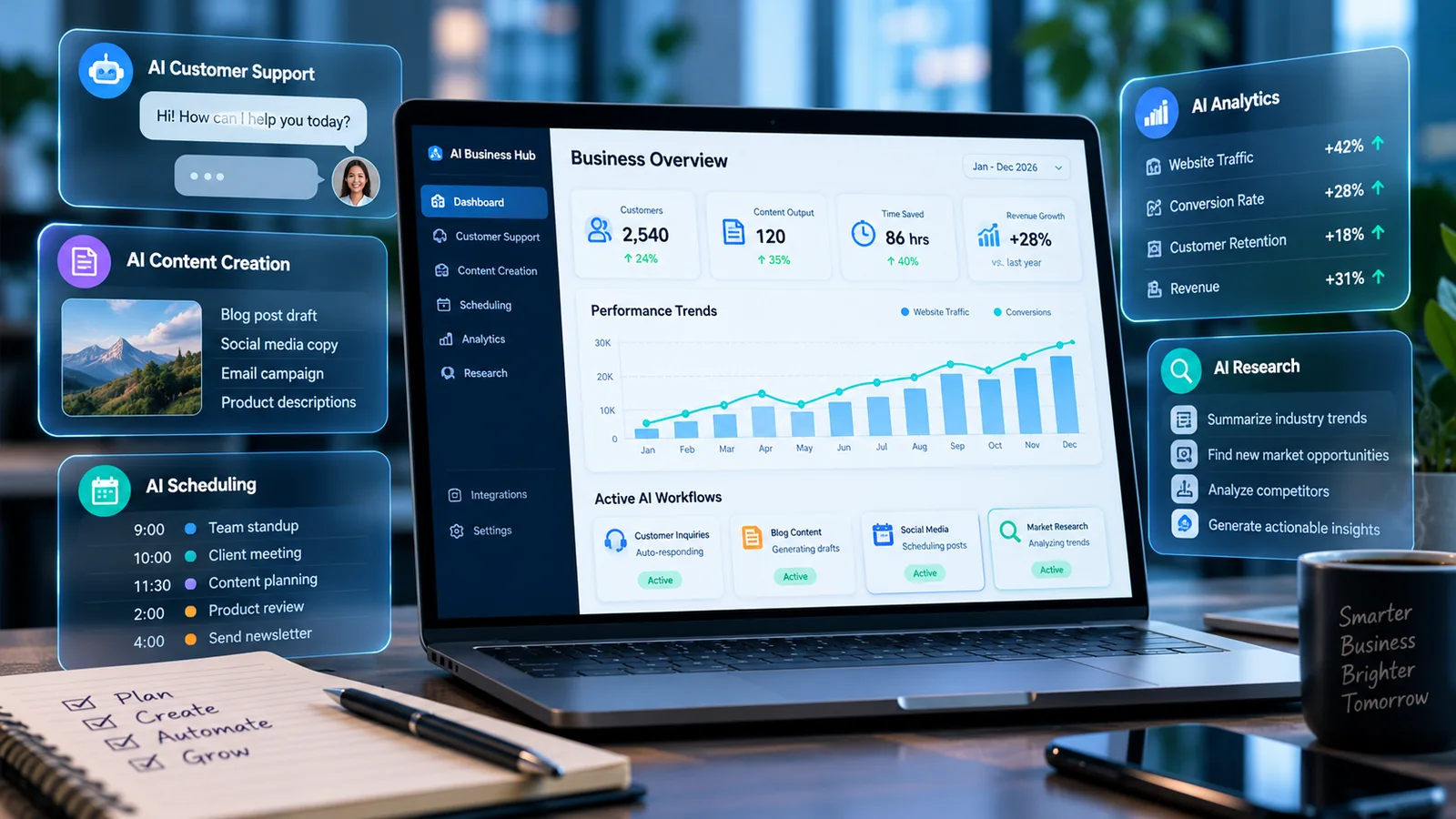
Different departments need different qualities from an AI tool. Marketing often values flexible drafting, brand adaptation and research support. Sales teams care about CRM context, speed and repeatability. Support teams need reliable grounding in approved knowledge. Operations teams care more about structured extraction, classification and predictable outputs. This is why one “best AI tool” rarely solves every workflow equally well.
Meanwhile, For marketing, test whether the system can follow a detailed brief, preserve product facts and produce useful alternatives without drifting into generic language. For sales, test how easily representatives can provide account context and whether the output can be transferred into the CRM without extra formatting. For support, grounding and traceability matter more than creative language: the system should work from approved documentation and make it obvious when an answer is uncertain. For operations, the most important question is often whether the output can be returned in a consistent structure that another system can consume.
Marketing evaluation
Create a small benchmark pack containing one blog brief, one product page, one customer email and one campaign message. Run the same pack through every candidate tool. Score factual accuracy, tone, editing time, consistency and how well the tool follows constraints. A tool that generates impressive prose but frequently changes product facts is a poor production choice.
Sales evaluation
In other words, Use anonymized examples of discovery notes, account summaries and follow-up emails. Measure whether the AI identifies the right next actions and preserves commitments accurately. Sales AI should reduce preparation time without creating accidental promises or invented customer history.
Support evaluation
Test common questions, ambiguous requests and cases where the knowledge base does not contain an answer. A good support workflow should be able to say that information is missing instead of improvising. Include escalation scenarios and check whether summaries preserve dates, prior troubleshooting and customer sentiment.
Operations evaluation
Ultimately, Give the system forms, invoices, meeting notes and process documents. Test extraction accuracy and output consistency. If the workflow will be automated, require a predictable format such as defined fields or JSON rather than free-form prose.
AI Tools for Small Business: Calculate the Business Case
Use a simple baseline. Record how many times the task occurs each month, how long it takes today and how much review is required. Then run a controlled test with the AI tool. If a task takes twenty minutes manually and ten minutes with AI plus review, the net saving is ten minutes. Multiply that by monthly volume rather than assuming every employee will save hours every day.
In practice, Include subscription cost, setup time, training and maintenance. Also include quality. If faster drafting creates more corrections later, the apparent saving may disappear. The best business case combines time reduction, lower error rates, faster turnaround or better decision quality.
For example, a support team handling 400 routine tickets per month may save five minutes per ticket by using AI-assisted summaries and suggested replies. That is more than thirty hours of gross time. If review adds two minutes per ticket, the net saving is closer to twenty hours. Compare that with subscription and management cost, then decide whether the workflow is worthwhile.
AI Tools for Small Business: What to Standardize Before Scaling
Before moving from a few experiments to widespread use, standardize account ownership, approved tools, data rules, prompt templates and review expectations. Decide which teams can create new automated workflows and who approves connections to systems such as email, CRM, cloud storage and finance.
For example, Keep a simple register of production AI workflows. Record the business owner, tool, purpose, input data, output destination and human review point. This makes it possible to evaluate risk, remove obsolete workflows and respond when a vendor changes a model, policy or integration.
Related AutomationToolLab Guides
- Best AI Tools for Small Businesses in 2026
- 25 AI Automation Ideas for Small Businesses in 2026
- ChatGPT Automation in 2026: Business Workflows You Can Automate
Evaluation Checklist
- Does the tool solve a documented recurring task?
- Can users understand when the output needs review?
- Are permissions and data handling appropriate for the information involved?
- Can the business export its data and leave the product if necessary?
- Does the tool integrate with existing systems or create another isolated workflow?
- Can the team measure time saved, quality and adoption?
AI Tools for Small Business: Common Mistakes to Avoid
Do not automate poor source material, publish AI output without review, use one prompt for every department or buy tools simply because competitors mention them. Avoid placing sensitive company information into unapproved consumer accounts. Most importantly, do not measure success by the number of AI tools adopted. Measure whether work became faster, clearer or more reliable.
Frequently Asked Questions
How many AI tools should a small business use?
In addition, There is no ideal number. Start with the smallest set that covers repeatable jobs without duplicating functionality. A general AI assistant, one or two specialist tools and an automation layer are enough for many teams.
Should employees use personal AI accounts for company work?
Sensitive company work should follow an approved business policy. Use organization-approved accounts and settings for confidential or regulated information.
How often should the AI stack be reviewed?
However, Quarterly is a practical starting point. Review adoption, cost, data access, duplicate capabilities and whether the original workflow still exists.
Implementation Notes for 2026
For AI tools for small business operations, the practical challenge is rarely access to features. It is creating a repeatable operating method. Document who owns the workflow, what information is trusted, which outputs require review and how the team will recognize failure. This makes the software easier to train, easier to audit and easier to replace if the business later chooses another platform.
As a result, Adoption should also be measured. Ask whether users complete the intended workflow, whether they create side processes outside the tool and whether data quality remains high. A product that technically supports a feature is not delivering value if employees avoid it because the process is too complex. Review the setup after the first month and remove fields, steps or automation that do not contribute to the desired result.
Finally, keep portability in mind. Export important data periodically when practical, document critical settings and avoid hiding essential business logic in a single employee’s personal account. Software choices change; operational knowledge should remain with the business.
Final Recommendation
At the same time, Choose one high-frequency, low-risk workflow and prove the value before expanding. A small, well-governed AI stack that people actually use is more valuable than a large collection of fashionable tools.
Turn Better Software Decisions Into Better Website Growth
Choosing the right tools is only part of the job. If you also want to understand your website visibility, keyword opportunities, competitors and backlinks, explore CBOOMARANK. For available plans, visit the CBOOMARANK pricing page.
Related Software Guides