SaaS Buying Guide for Small Businesses in 2026: Pricing, Security, Integrations and ROI
SaaS buying guide for small businesses: compare pricing, security, integrations, implementation, data portability and ROI before you buy.
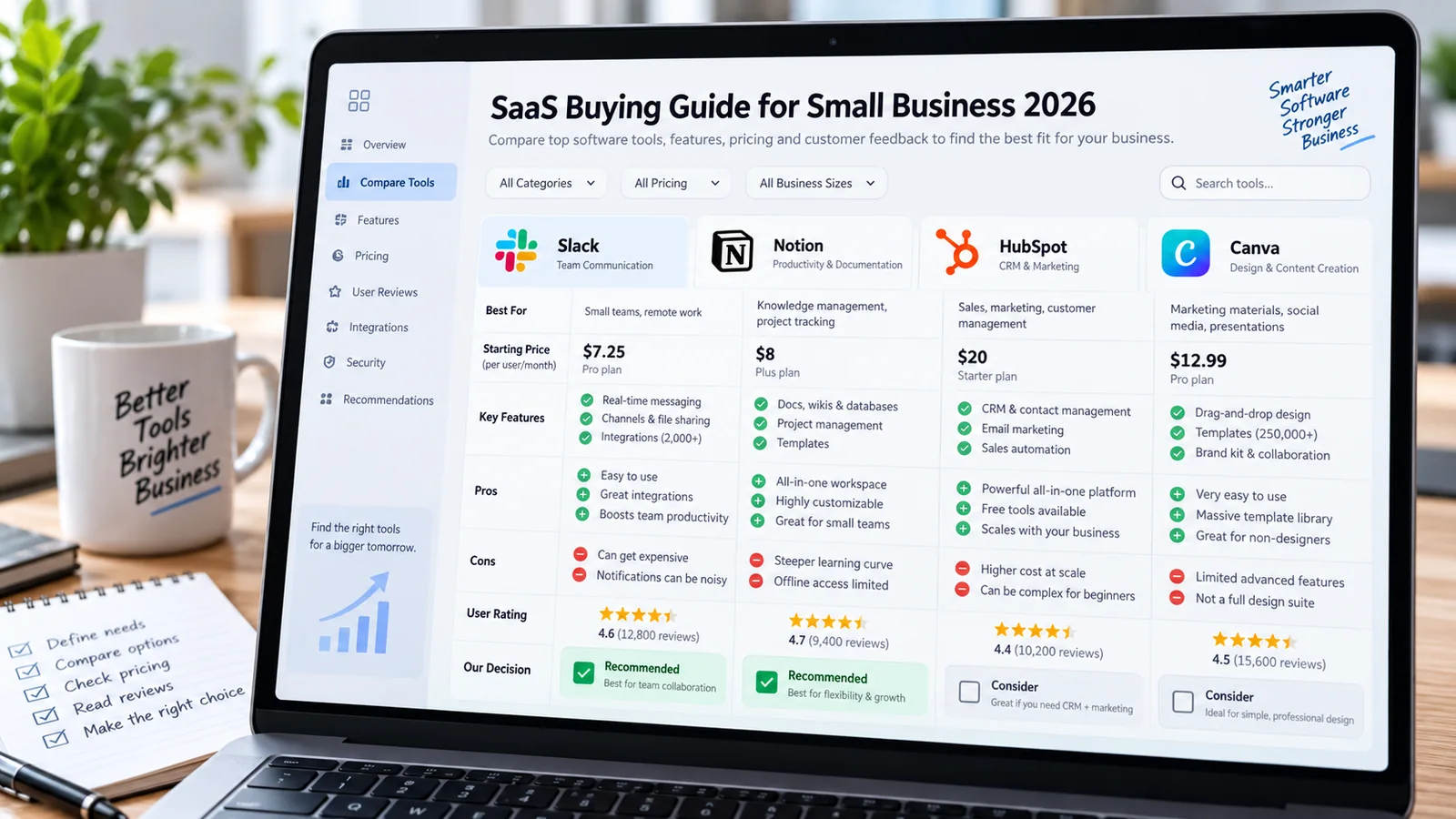
This SaaS buying guide helps small businesses compare software pricing, security, integrations, implementation effort, data portability and long-term return on investment.
Editorial note: This article is educational and based on practical software-selection and workflow principles. Product features, limits and pricing may change after publication.
Affiliate disclosure: Some links may be affiliate links. AutomationToolLab may earn a commission at no additional cost to you.
Small businesses can move faster with SaaS, but subscription software is easy to buy and surprisingly difficult to unwind once data, habits and workflows depend on it. This guide provides a practical framework for choosing software based on business fit instead of marketing claims.
SaaS Buying Guide: Why Software Buying Decisions Fail
In practice, Most bad software purchases are not caused by missing features. They happen because the buying team never defined the problem precisely, underestimated implementation effort or compared plans by headline price instead of total operating cost.
A product can look inexpensive during a demo and become costly after additional users, automation runs, storage, premium integrations, support tiers and migration work are included. Conversely, a more expensive plan can be better value if it replaces several existing subscriptions or removes significant manual work.
For example, The buying process should therefore begin with a written use case, required integrations, security constraints, expected users, volume assumptions and measurable outcome. This gives every vendor the same evaluation framework.
SaaS Buying Guide: Build a Requirements Scorecard
Separate requirements into four groups: mandatory, important, useful and unnecessary. Mandatory items are things the business cannot operate without, such as a specific integration, data-export capability, role-based access or billing currency. Important items improve adoption or efficiency but may have a workaround. Useful features are bonuses. Unnecessary features should not influence the purchase simply because they look impressive in a demo.
In addition, Score the products against the same real workflow. For a CRM, test how a lead enters the system, how ownership is assigned, how follow-up is tracked and how reporting works. For a project-management platform, test intake, task assignment, approvals, dependencies and status reporting. Demo scripts should reflect your process, not the vendor’s favorite example.
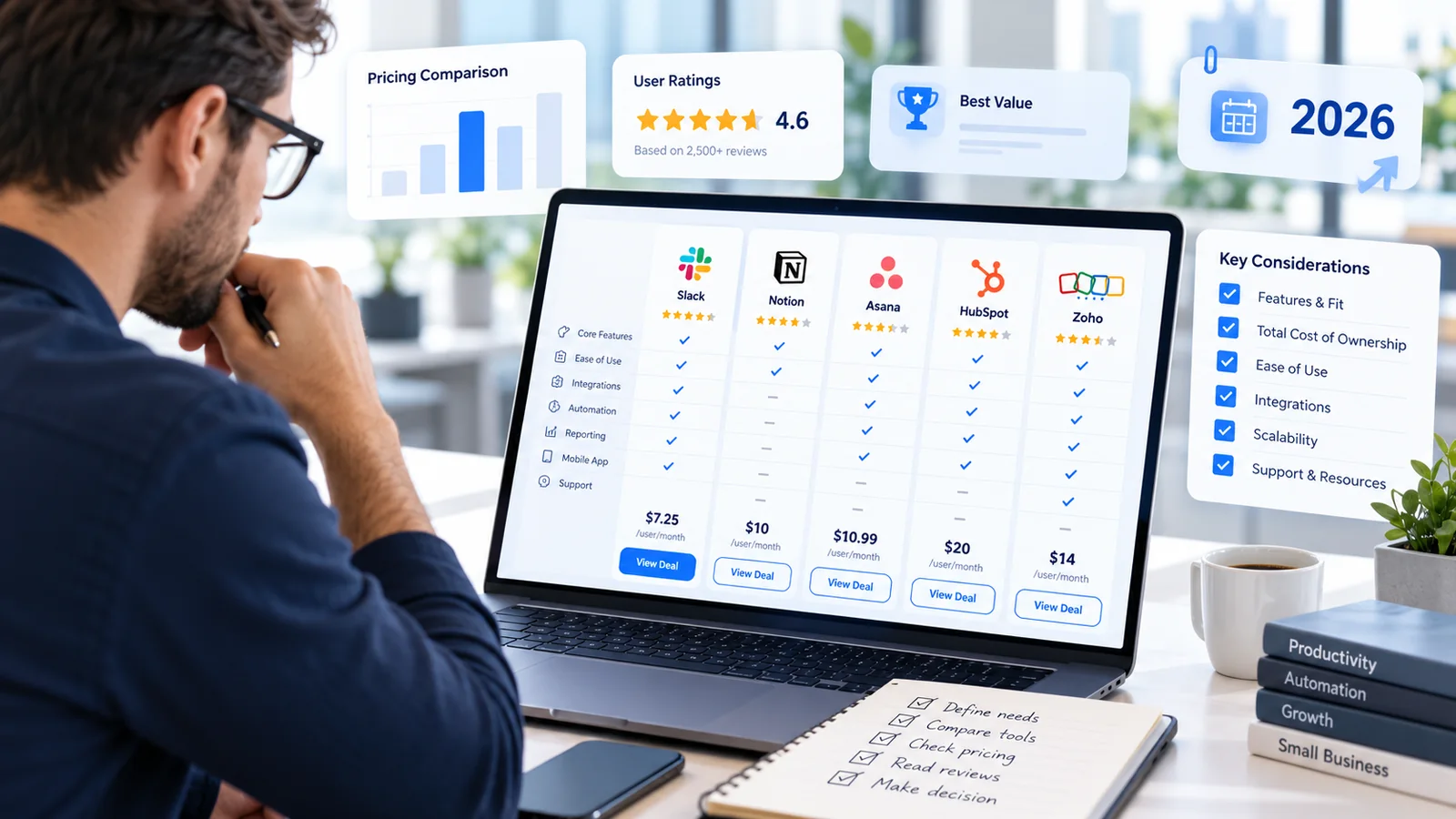
SaaS Buying Guide: How to Compare Pricing Correctly
Start with the smallest plan that actually satisfies the required workflow. Then model the cost at six and twelve months using realistic headcount and usage growth. Include base subscription, additional seats, automation usage, storage, API access, support, onboarding, migration and any external consultant cost.
However, Watch for pricing that changes significantly with usage. Products that charge by task, contact, workflow run, email volume or data processed may be economical at low volume and expensive as the business grows. Build a simple range: current usage, expected usage and a high-growth scenario.
Annual discounts can be attractive, but they reduce flexibility. For an unproven workflow, a monthly plan may be worth the higher unit price until the team has confirmed adoption.
SaaS Buying Guide: Security, Privacy and Data Questions
- What authentication methods are available, including multi-factor authentication and single sign-on?
- Can administrators control roles and permissions?
- What data is stored, where is it stored and how long is it retained?
- Can the organization export its data in a practical format?
- What audit logging is available for important changes?
- How are integrations and API credentials protected?
- What happens to data after the subscription ends?
- Are backups and recovery responsibilities clearly documented?
As a result, Security requirements should match the sensitivity of the workload. A lightweight design application and a system holding customer financial records should not receive the same level of review.
SaaS Buying Guide: Integration Fit Matters More Than Features
Software becomes valuable when it fits into the rest of the operating system. Check whether the SaaS product integrates directly with the tools you already use, supports webhooks, provides an API and can be connected through platforms such as Zapier, Make or n8n.
At the same time, Also inspect data direction. Some integrations can only send information one way, omit custom fields or update on a delay. Test the exact data you need to move. If a critical integration requires custom development, include that maintenance burden in the purchase decision.

SaaS Buying Guide: A 14-Day Pilot Framework
Days 1–2: define the workflow and success measures. Days 3–5: configure the minimum viable setup and import only enough sample data to test. Days 6–9: have real users complete real tasks and record friction. Days 10–12: test permissions, reporting, exports and integrations. Days 13–14: review adoption, business value and unresolved risks.
Therefore, Do not let the pilot become a design project. The purpose is to determine whether the software solves the problem reliably. Customization should be limited until the core workflow is proven.
Avoiding SaaS Sprawl
Once or twice a year, review every subscription by owner, purpose, active users, business value and renewal date. Look for overlapping tools, inactive seats and products that were purchased for a project that no longer exists.
More importantly, Create an approval rule for new subscriptions above a chosen cost or data sensitivity. Centralize renewal dates and require an owner for every paid tool. These simple controls reduce duplicate spending without slowing useful experimentation.
SaaS Buying Guide: Compare Vendors Without Bias
Use the same scenarios for every product. Vendors naturally demonstrate the parts of their platform that look strongest, so an unstructured demo can make completely different products seem equally capable. Prepare three to five scenarios that reflect the real work your team performs and ask each vendor or trial account to complete them.
For example, a project-management evaluation might include creating a request from a form, assigning work based on department, tracking a dependency, requesting approval and generating a status report. A CRM evaluation might include capturing a lead, routing it, recording activity, creating a follow-up sequence and reporting pipeline by owner. Score each product on how naturally it completes the workflow, not how many unrelated features it lists.
For this reason, Include the employees who will actually use the product. Executive buyers may focus on reporting and price, while daily users notice navigation, data entry friction and missing shortcuts. A product that wins the feature checklist but frustrates users will create adoption problems that are expensive to reverse.
Total Cost of Ownership Example
Imagine a system priced at $20 per user for ten users. The headline cost is $200 per month, but that is not the complete picture. The company may need a higher plan for SSO or automation, a paid connector for a key integration, consultant time for migration and internal hours for configuration. If two additional tools remain necessary because the new system does not replace them, those costs continue too.
Meanwhile, Model one-time costs separately from recurring costs. One-time costs include migration, implementation and training. Recurring costs include subscriptions, add-ons, integration platforms, support and maintenance. Then compare the total against the business benefit the system is expected to create. This prevents the common mistake of comparing two vendors solely on seat price.
Data Ownership and Portability Checklist
Ask to see the export process before you buy. Confirm whether exports include custom fields, comments, attachments, activity history and relationships between records. A CSV export of top-level fields may not be sufficient if the business depends on years of communication history or linked files.
In other words, Also ask whether the product offers an API, whether API access requires a higher plan and whether there are rate limits that affect migration. For important systems, periodically test an export rather than waiting until cancellation to discover that the data is difficult to retrieve.
Implementation Readiness
Software does not implement itself. Before purchase, identify the internal owner, the data that must be migrated, the workflows that must be configured, the integrations that must be tested and the training users need. If no one has time to own implementation, even a strong product can fail.
Ultimately, Keep the first implementation narrow. Configure the core workflow, define permissions and train a pilot group. Resist recreating every historical field and process on day one. Use the migration as an opportunity to remove obsolete data and unnecessary steps.
Renewal Review Scorecard
Sixty to ninety days before renewal, review active users, business processes supported, uptime or reliability issues, support quality, costs, unused features and switching difficulty. Ask whether the software still solves the problem that justified the original purchase. If usage is low, determine whether the problem is training, configuration or lack of real need.
In practice, Renewal should be a decision, not an automatic administrative event. A disciplined review is one of the easiest ways for a growing company to control SaaS sprawl.
Related AutomationToolLab Guides
- SaaS Review Checklist: How to Choose the Right Software for Your Business
- Browse SaaS Reviews
- Browse Business Automation Guides
Contract and Renewal Questions
Before signing an annual contract, confirm renewal terms, notice periods, data export options, cancellation process, price-change language and support commitments. Record the renewal date in a central calendar with an owner at least sixty days in advance.
Migration and Exit Planning
For example, Every important SaaS purchase should have an exit path. Understand which data can be exported, in what format, and whether attachments, history and audit records are included. This does not mean you expect the product to fail; it means you are protecting the business from unnecessary lock-in.
Frequently Asked Questions
Should we always choose the cheapest plan?
No. Compare total cost against the complete workflow, including integrations, usage, support, migration and time saved.
Is an annual contract worth it?
In addition, Only after the workflow is proven and the team is confident about adoption. A monthly pilot can be worth the premium for flexibility.
What is the most overlooked buying question?
Data portability. Ask how you export your records, history, attachments and configuration if you need to leave.
Implementation Notes for 2026
However, For SaaS buying guide for small businesses, the practical challenge is rarely access to features. It is creating a repeatable operating method. Document who owns the workflow, what information is trusted, which outputs require review and how the team will recognize failure. This makes the software easier to train, easier to audit and easier to replace if the business later chooses another platform.
Adoption should also be measured. Ask whether users complete the intended workflow, whether they create side processes outside the tool and whether data quality remains high. A product that technically supports a feature is not delivering value if employees avoid it because the process is too complex. Review the setup after the first month and remove fields, steps or automation that do not contribute to the desired result.
As a result, Finally, keep portability in mind. Export important data periodically when practical, document critical settings and avoid hiding essential business logic in a single employee’s personal account. Software choices change; operational knowledge should remain with the business.
Final Recommendation
The best SaaS product is the one that solves the defined workflow, integrates with the systems you already use, meets your security requirements and remains economically sensible as usage grows.
Turn Better Software Decisions Into Better Website Growth
At the same time, Choosing the right tools is only part of the job. If you also want to understand your website visibility, keyword opportunities, competitors and backlinks, explore CBOOMARANK. For available plans, visit the CBOOMARANK pricing page.
Related Software Guides