Best No-Code Automation Tools in 2026: 12 Platforms Compared
No-code automation tools let business teams connect applications, route information and trigger actions without building a conventional software integration. The category now includes traditional workflow builders, AI-native tools, RPA and app-specific automation.
In 2026, workflow automation increasingly combines traditional triggers and actions with AI classification, generation, tool use and human approvals. That makes platform choice more consequential: cost, permissions, observability and maintainability matter as much as connector count.
Quick Comparison
| Platform | Best for | Standout strength | Watch-out |
|---|---|---|---|
| Zapier | Broad no-code business automation | Very large app ecosystem and easy setup | Task pricing at scale |
| Make | Visual no-code scenarios | Strong visual routing and transformations | Credit usage needs planning |
| Activepieces | Open-source-friendly no-code | Cloud or on-prem and transparent SMB plans | Smaller ecosystem |
| Microsoft Power Automate | Microsoft 365 and desktop automation | Deep Microsoft integration and RPA | Licensing complexity |
| IFTTT | Simple consumer and IoT automation | Very easy applets | Limited complex business logic |
| Pabbly Connect | SMB app automation | Straightforward multi-step workflows | Check exact connectors |
| Integrately | Prebuilt automations | Quick one-click recipes | Less technical control |
| Gumloop | AI-first no-code workflows | Modern AI workflow design | AI usage economics |
| Lindy | No-code AI teammates | Agent-style task automation | Credit/user costs |
| Airtable Automations | Database-centric workflows | Close to structured operational data | Best inside Airtable |
| HubSpot Operations Hub | CRM-centric automation | Customer data and lifecycle operations | Most useful to HubSpot users |
| Kissflow | Business process management | Workflow/process design and approvals | Different focus than app connectors |
What Matters Before You Choose
- Native support for the applications your business actually uses.
- Reliable branching, retries, scheduling, webhooks and data transformation.
- AI features that can be constrained, validated and placed behind human approval.
- Clear pricing mechanics at your expected monthly volume.
- Permissions, audit logs, versioning and environment separation for team use.
- Debugging tools that show exactly where and why a workflow failed.
Zapier
Best for: Broad no-code business automation. Main strength: Very large app ecosystem and easy setup. Watch-out: Task pricing at scale.
For a production evaluation of Zapier, build one representative workflow with real branching, authentication, retries and expected monthly volume. Test the workflow when an upstream app returns missing fields, when a credential expires and when the destination is rate-limited. Those failure cases reveal more than a polished demo.
Also assign an owner for the automation. Document the trigger, connected systems, data fields, expected output, error path and rollback procedure. Reliable automation is an operational asset only when somebody can understand and maintain it six months later.
Make
Best for: Visual no-code scenarios. Main strength: Strong visual routing and transformations. Watch-out: Credit usage needs planning.
For a production evaluation of Make, build one representative workflow with real branching, authentication, retries and expected monthly volume. Test the workflow when an upstream app returns missing fields, when a credential expires and when the destination is rate-limited. Those failure cases reveal more than a polished demo.
Also assign an owner for the automation. Document the trigger, connected systems, data fields, expected output, error path and rollback procedure. Reliable automation is an operational asset only when somebody can understand and maintain it six months later.
Activepieces
Best for: Open-source-friendly no-code. Main strength: Cloud or on-prem and transparent SMB plans. Watch-out: Smaller ecosystem.
For a production evaluation of Activepieces, build one representative workflow with real branching, authentication, retries and expected monthly volume. Test the workflow when an upstream app returns missing fields, when a credential expires and when the destination is rate-limited. Those failure cases reveal more than a polished demo.
Also assign an owner for the automation. Document the trigger, connected systems, data fields, expected output, error path and rollback procedure. Reliable automation is an operational asset only when somebody can understand and maintain it six months later.
Microsoft Power Automate
Best for: Microsoft 365 and desktop automation. Main strength: Deep Microsoft integration and RPA. Watch-out: Licensing complexity.
For a production evaluation of Microsoft Power Automate, build one representative workflow with real branching, authentication, retries and expected monthly volume. Test the workflow when an upstream app returns missing fields, when a credential expires and when the destination is rate-limited. Those failure cases reveal more than a polished demo.
Also assign an owner for the automation. Document the trigger, connected systems, data fields, expected output, error path and rollback procedure. Reliable automation is an operational asset only when somebody can understand and maintain it six months later.
IFTTT
Best for: Simple consumer and IoT automation. Main strength: Very easy applets. Watch-out: Limited complex business logic.
For a production evaluation of IFTTT, build one representative workflow with real branching, authentication, retries and expected monthly volume. Test the workflow when an upstream app returns missing fields, when a credential expires and when the destination is rate-limited. Those failure cases reveal more than a polished demo.
Also assign an owner for the automation. Document the trigger, connected systems, data fields, expected output, error path and rollback procedure. Reliable automation is an operational asset only when somebody can understand and maintain it six months later.
Pabbly Connect
Best for: SMB app automation. Main strength: Straightforward multi-step workflows. Watch-out: Check exact connectors.
For a production evaluation of Pabbly Connect, build one representative workflow with real branching, authentication, retries and expected monthly volume. Test the workflow when an upstream app returns missing fields, when a credential expires and when the destination is rate-limited. Those failure cases reveal more than a polished demo.
Also assign an owner for the automation. Document the trigger, connected systems, data fields, expected output, error path and rollback procedure. Reliable automation is an operational asset only when somebody can understand and maintain it six months later.
Integrately
Best for: Prebuilt automations. Main strength: Quick one-click recipes. Watch-out: Less technical control.
For a production evaluation of Integrately, build one representative workflow with real branching, authentication, retries and expected monthly volume. Test the workflow when an upstream app returns missing fields, when a credential expires and when the destination is rate-limited. Those failure cases reveal more than a polished demo.
Also assign an owner for the automation. Document the trigger, connected systems, data fields, expected output, error path and rollback procedure. Reliable automation is an operational asset only when somebody can understand and maintain it six months later.
Gumloop
Best for: AI-first no-code workflows. Main strength: Modern AI workflow design. Watch-out: AI usage economics.
For a production evaluation of Gumloop, build one representative workflow with real branching, authentication, retries and expected monthly volume. Test the workflow when an upstream app returns missing fields, when a credential expires and when the destination is rate-limited. Those failure cases reveal more than a polished demo.
Also assign an owner for the automation. Document the trigger, connected systems, data fields, expected output, error path and rollback procedure. Reliable automation is an operational asset only when somebody can understand and maintain it six months later.
Lindy
Best for: No-code AI teammates. Main strength: Agent-style task automation. Watch-out: Credit/user costs.
For a production evaluation of Lindy, build one representative workflow with real branching, authentication, retries and expected monthly volume. Test the workflow when an upstream app returns missing fields, when a credential expires and when the destination is rate-limited. Those failure cases reveal more than a polished demo.
Also assign an owner for the automation. Document the trigger, connected systems, data fields, expected output, error path and rollback procedure. Reliable automation is an operational asset only when somebody can understand and maintain it six months later.
Airtable Automations
Best for: Database-centric workflows. Main strength: Close to structured operational data. Watch-out: Best inside Airtable.
For a production evaluation of Airtable Automations, build one representative workflow with real branching, authentication, retries and expected monthly volume. Test the workflow when an upstream app returns missing fields, when a credential expires and when the destination is rate-limited. Those failure cases reveal more than a polished demo.
Also assign an owner for the automation. Document the trigger, connected systems, data fields, expected output, error path and rollback procedure. Reliable automation is an operational asset only when somebody can understand and maintain it six months later.
HubSpot Operations Hub
Best for: CRM-centric automation. Main strength: Customer data and lifecycle operations. Watch-out: Most useful to HubSpot users.
For a production evaluation of HubSpot Operations Hub, build one representative workflow with real branching, authentication, retries and expected monthly volume. Test the workflow when an upstream app returns missing fields, when a credential expires and when the destination is rate-limited. Those failure cases reveal more than a polished demo.
Also assign an owner for the automation. Document the trigger, connected systems, data fields, expected output, error path and rollback procedure. Reliable automation is an operational asset only when somebody can understand and maintain it six months later.
Kissflow
Best for: Business process management. Main strength: Workflow/process design and approvals. Watch-out: Different focus than app connectors.
For a production evaluation of Kissflow, build one representative workflow with real branching, authentication, retries and expected monthly volume. Test the workflow when an upstream app returns missing fields, when a credential expires and when the destination is rate-limited. Those failure cases reveal more than a polished demo.
Also assign an owner for the automation. Document the trigger, connected systems, data fields, expected output, error path and rollback procedure. Reliable automation is an operational asset only when somebody can understand and maintain it six months later.
How to Run a 7-Day Proof of Concept
- Choose one real process that happens every day or every week.
- Measure the current manual time and error rate.
- Build the same workflow in your top two candidate platforms.
- Test normal data, missing data, duplicates and API failures.
- Estimate monthly usage from real transaction volume rather than the vendor demo.
- Have the eventual workflow owner make one change without outside help.
- Select the platform with the best combination of reliability, maintainability and cost.
How AutomationToolLab Evaluates Automation Software
We compare platforms by integration coverage, workflow depth, AI capability, deployment model, governance, debugging, maintainability and total operating cost. The best product is the one that solves a real process reliably, not the one with the longest feature list.
Regional Buying Notes
This guide is written primarily for readers in the US, UK, Canada and Australia. Check local taxes, billing currency, privacy requirements, data-location needs and support hours before purchase. Self-hosting can matter more in technically sophisticated or regulated environments, while managed cloud tools can reduce operational overhead for smaller teams.
Related AutomationToolLab Guides
- Read related AutomationToolLab guide #1
- Read related AutomationToolLab guide #3
- Read related AutomationToolLab guide #9
Editorial Disclosure
AutomationToolLab is an independent educational site. Product prices, limits and features can change. Verify critical purchasing information on each vendor’s official website before committing to a plan or migrating production workflows.
No-Code vs Low-Code
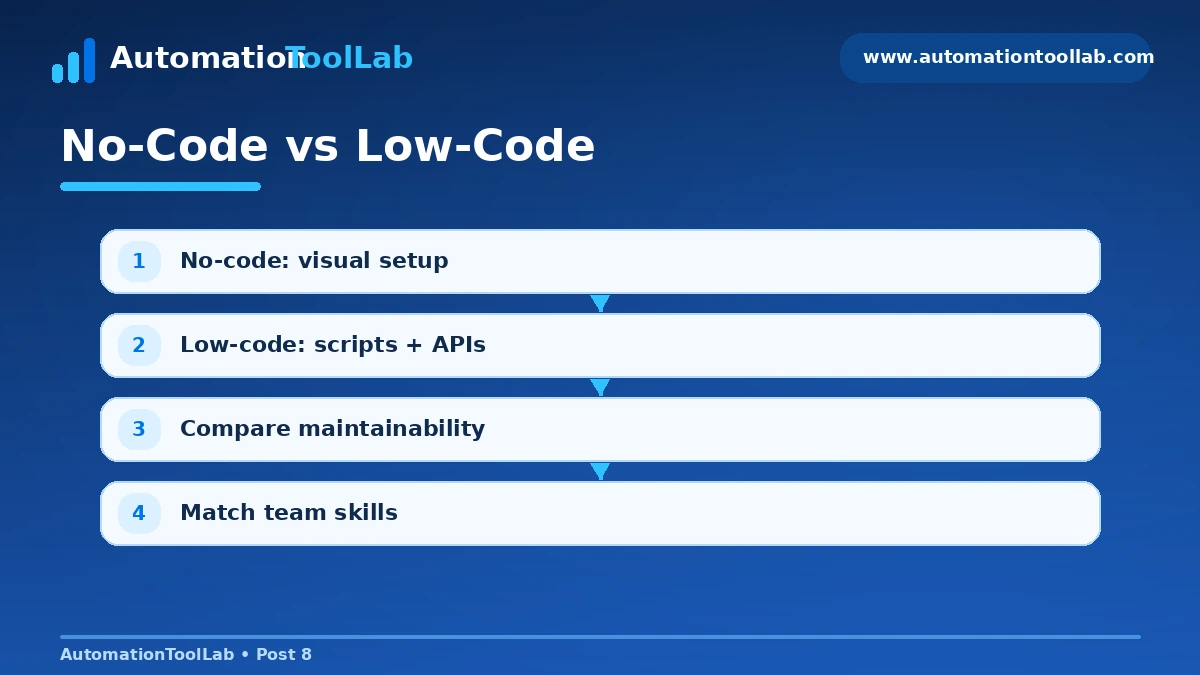
No-code tools prioritize visual configuration and templates. Low-code platforms add expressions, scripts, APIs or custom components. Many leading products now span both categories, so the more useful question is whether the people who own the process can safely maintain the workflow.
Pricing Models to Understand
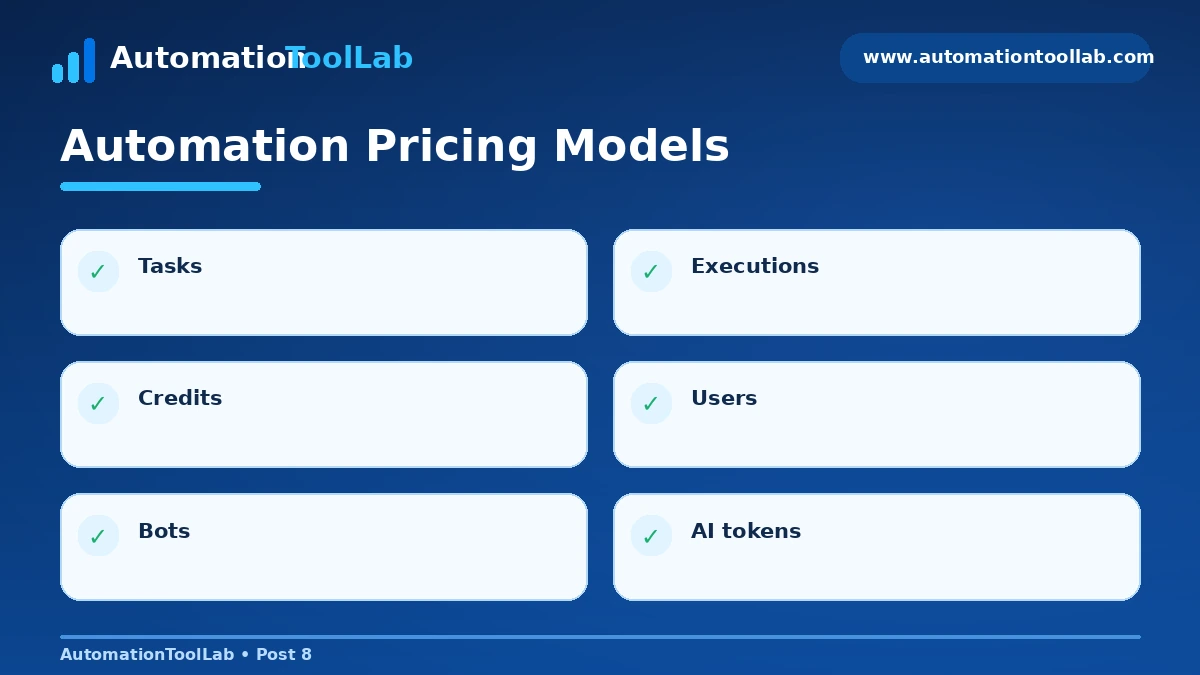
- Per task or action
- Per workflow execution
- Per credit or module action
- Per user
- Per automation or bot
- AI-model or credit add-ons
Use official vendor pricing as the final source of truth; for example, see Zapier pricing, Make pricing, and Activepieces pricing.
Related Software Guides